Skip to content
All free tools
  1. Home
  2. Templates
  3. Trackers & logs

Free Activity Pages for KDP: Trackers, Planners and Logs

Pages for keeping track of things people do — habits, days, weeks, workouts, hikes and fishing trips. Free KDP interiors, ready to upload.

Made by BookBird · Free to use in your own books · Margins set to Amazon KDP’s rules

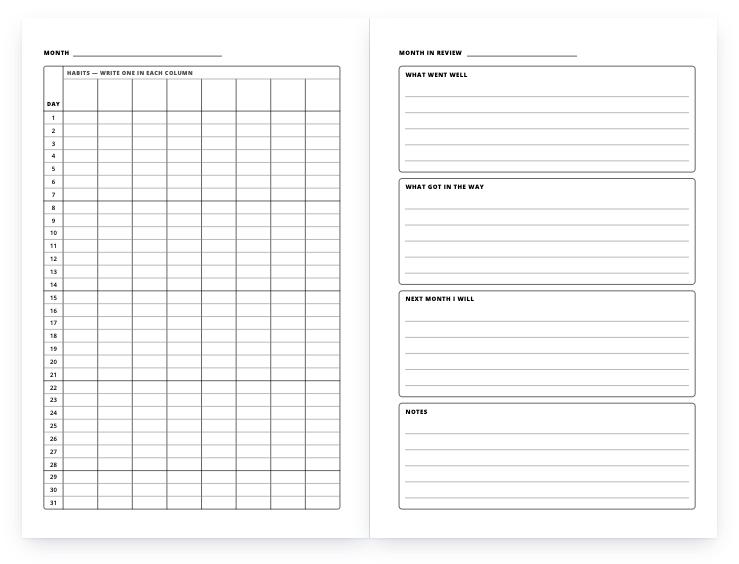
Habit tracker: a two-page spread of the interior

Planners & trackers

Habit tracker

A month on a spread: eight habits by 31 days on the left, a month-in-review page on the right. 59 months.

Download free PDF

KDP setup
Trim
6" × 9", 8.5" × 11"
Pages
120 — two-page spreads from page 2
Interior
Black ink, white paper
Bleed
No bleed — page size equals trim size
Margins
Inside 0.5", outside 0.375", top 0.5", bottom 0.5"
Low-content
Yes — tick the Low-content box
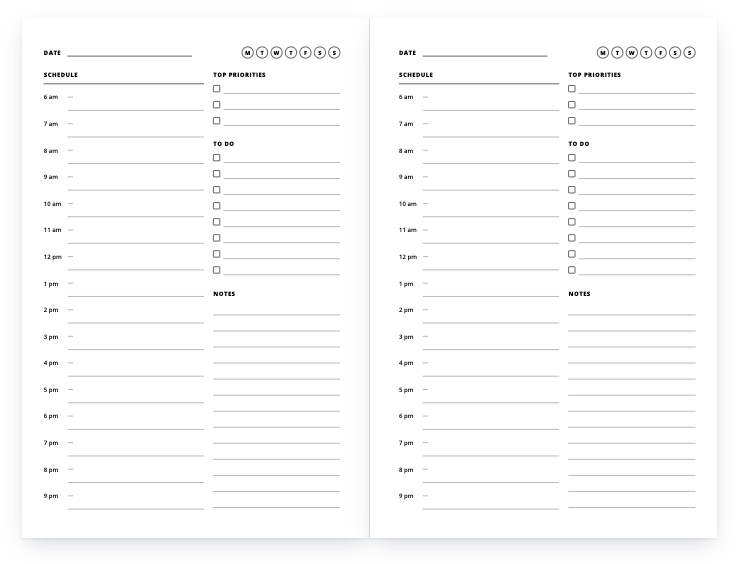
Daily planner: a two-page spread of the interior

Planners & trackers

Daily planner

Undated day pages: an hourly schedule from 6 am to 9 pm, top priorities, to-dos and notes.

Download free PDF

KDP setup
Trim
6" × 9", 8.5" × 11"
Pages
120
Interior
Black ink, white paper
Bleed
No bleed — page size equals trim size
Margins
Inside 0.5", outside 0.375", top 0.5", bottom 0.5"
Low-content
Yes — tick the Low-content box
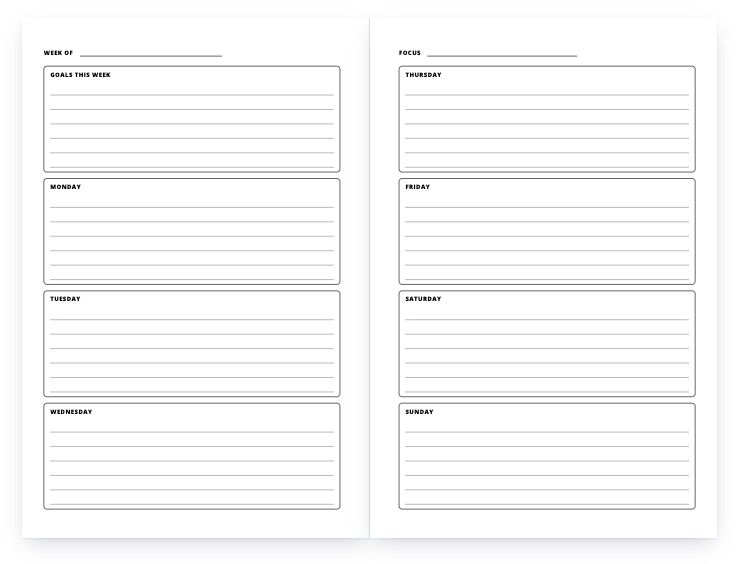
Weekly planner: a two-page spread of the interior

Planners & trackers

Weekly planner

Undated week-on-a-spread: goals and Monday–Wednesday on the left, Thursday–Sunday on the right. 59 weeks.

Download free PDF

KDP setup
Trim
6" × 9", 8.5" × 11"
Pages
120 — two-page spreads from page 2
Interior
Black ink, white paper
Bleed
No bleed — page size equals trim size
Margins
Inside 0.5", outside 0.375", top 0.5", bottom 0.5"
Low-content
Yes — tick the Low-content box
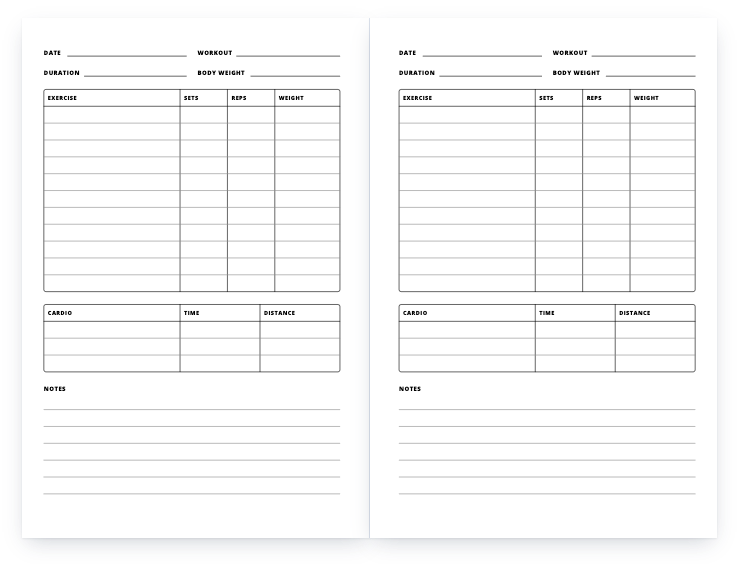
Workout log: a two-page spread of the interior

Journals & logs

Workout log

One session per page: exercises with sets, reps and weight, a cardio table and notes.

Download free PDF

KDP setup
Trim
6" × 9", 8.5" × 11"
Pages
120
Interior
Black ink, white paper
Bleed
No bleed — page size equals trim size
Margins
Inside 0.5", outside 0.375", top 0.5", bottom 0.5"
Low-content
Yes — tick the Low-content box
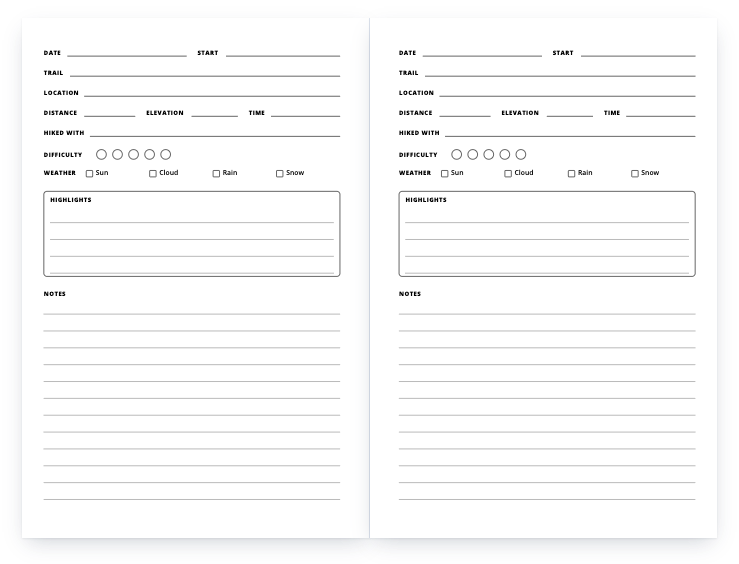
Hiking log: a two-page spread of the interior

Journals & logs

Hiking log

One hike per page: trail, distance, elevation, time, difficulty, highlights and notes.

Download free PDF

KDP setup
Trim
6" × 9", 8.5" × 11"
Pages
120
Interior
Black ink, white paper
Bleed
No bleed — page size equals trim size
Margins
Inside 0.5", outside 0.375", top 0.5", bottom 0.5"
Low-content
Yes — tick the Low-content box
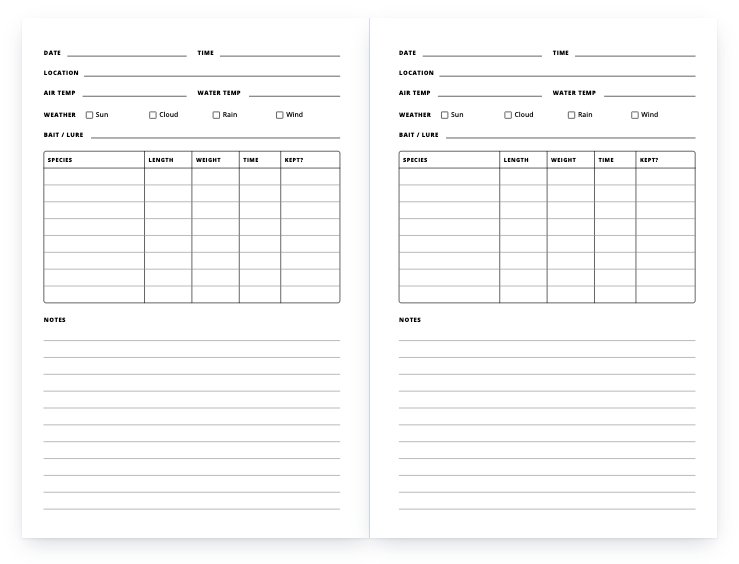
Fishing log: a two-page spread of the interior

Journals & logs

Fishing log

One trip per page: place, conditions, bait, and a catch table with species, length, weight and time.

Download free PDF

KDP setup
Trim
6" × 9", 8.5" × 11"
Pages
120
Interior
Black ink, white paper
Bleed
No bleed — page size equals trim size
Margins
Inside 0.5", outside 0.375", top 0.5", bottom 0.5"
Low-content
Yes — tick the Low-content box

Puzzle and game pages

Word searches, mazes and other puzzle pages are not in the library yet. A word search maker that exports KDP-sized pages is in the works; until then, every tracker and log here is complete and free.

When they arrive, note one difference in setup: KDP lists puzzle books as not generally low-content, while trackers and log books are low-content. The Low-content box is ticked for the files on this page and left unticked for a puzzle book.

Spreads, not single pages

The weekly planner and the habit tracker are built as two-page spreads: page 2 faces page 3, and so on. KDP’s guidelines put even page numbers on the left, so the spreads line up in the printed book exactly as they do in the PDF. Do not delete a single page from the middle, or every spread after it splits.

How to publish a template on KDP, in 5 steps

  1. Download the PDF in your trim size

    Each file is a complete interior: the right page size, 120 pages (42 for the coloring book), margins already set. Nothing needs to be resized.

  2. Create a paperback on your KDP Bookshelf

    For a notebook, planner, journal or log, tick Low-content under Categories on the details page — KDP rejects a low-content book without it. Coloring books are not low-content in KDP’s own list, so leave the box unticked for those.

  3. Set the print options

    Black & white interior on white paper, the trim size of the file you downloaded, and No bleed. A low-content book can be published without an ISBN or with your own; it is not eligible for a free KDP ISBN.

  4. Upload the interior and a cover

    Upload the PDF as the manuscript. The cover is yours to make: the cover calculator gives the full cover size and spine width for your trim and page count. KDP prints spine text only on books with more than 79 pages, so a 120-page book can carry it.

  5. Preview, order a proof, publish

    Open Launch Previewer in the Book Preview section and fix anything it flags, order a printed proof if you want to hold it first, then set your price — the royalty calculator shows the printing cost and what you earn per copy.

More free templates

A problem with a file, or a question? Get in touch, or request a template we have not made yet.